Product Hunt Upcoming Launches Export
Export upcoming Product Hunt launches automatically using TexAu. Track new products, makers, and launch dates.
Last updated
The **Product Hunt Upcoming Launches Export** automation in TexAu helps founders, growth hackers, product marketers, and researchers stay ahead of the competition by automatically extracting details of scheduled launches from Product Hunt’s **Upcoming** section. This tool gathers product names, make
The Product Hunt Upcoming Launches Export automation in TexAu helps founders, growth hackers, product marketers, and researchers stay ahead of the competition by automatically extracting details of scheduled launches from Product Hunt’s Upcoming section. This tool gathers product names, makers, scheduled dates, and launch descriptions—streamlining your tracking and outreach. With TexAu, you can run this automation on your own machine and export results to Google Sheets or CSV for ongoing analysis.
Follow this step-by-step guide to configure and run the Product Hunt Upcoming Launches Export automation.
Step 1: Log in to TexAu and Find the Automation
TexAu centralizes powerful automations in one dashboard, so you can access tools like Product Hunt Upcoming Launches Export in seconds. From lead generation to market research, TexAu simplifies your workflow with no-code actions.
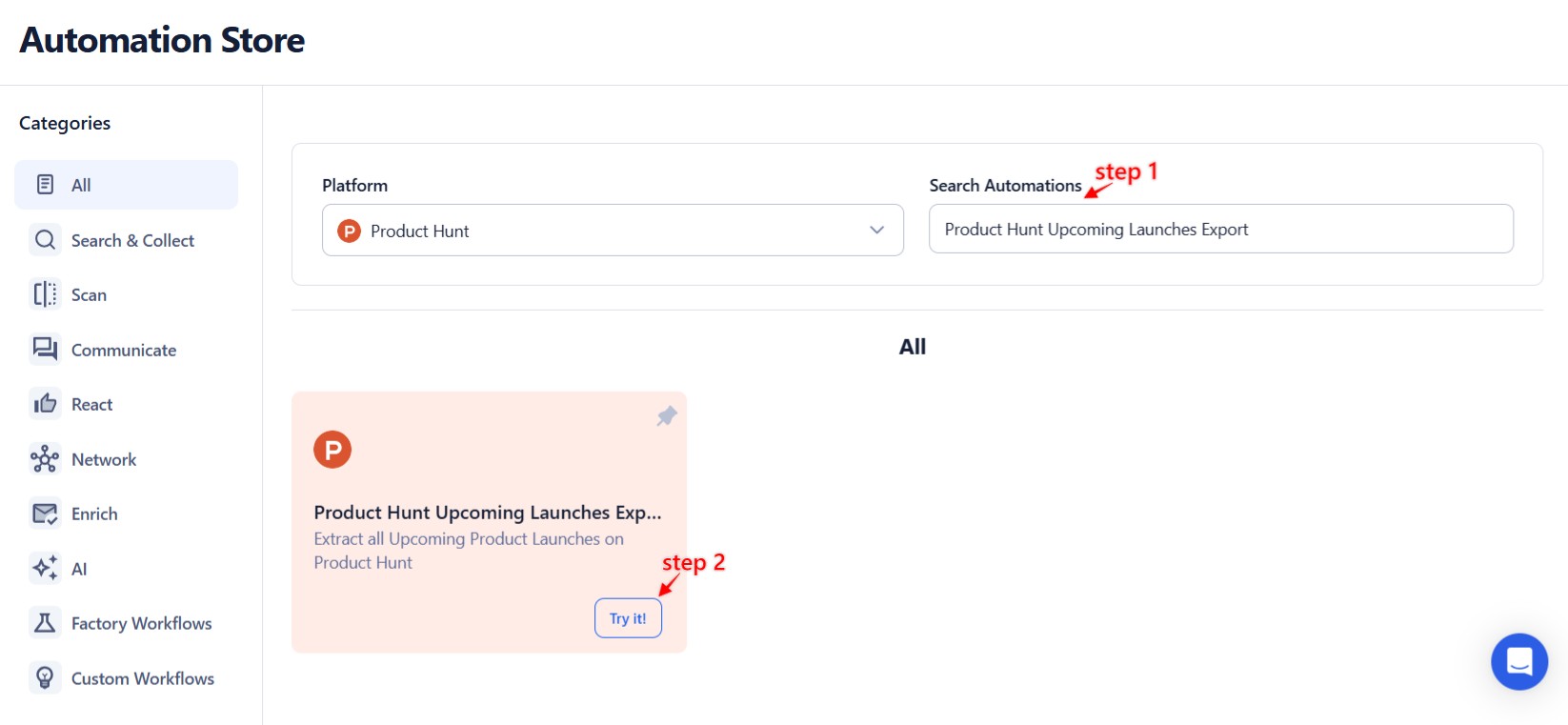
Log in to your TexAu account at the TexAu V2 Desktop app. Once logged in, go to the Automation Store, search for Product Hunt Upcoming Launches Export, and click to open the configuration page.
Step 2: Select Your Input Source
TexAu saves you time by skipping manual inputs for this automation. It fetches upcoming Product Hunt launches automatically—no URLs or data entry required.
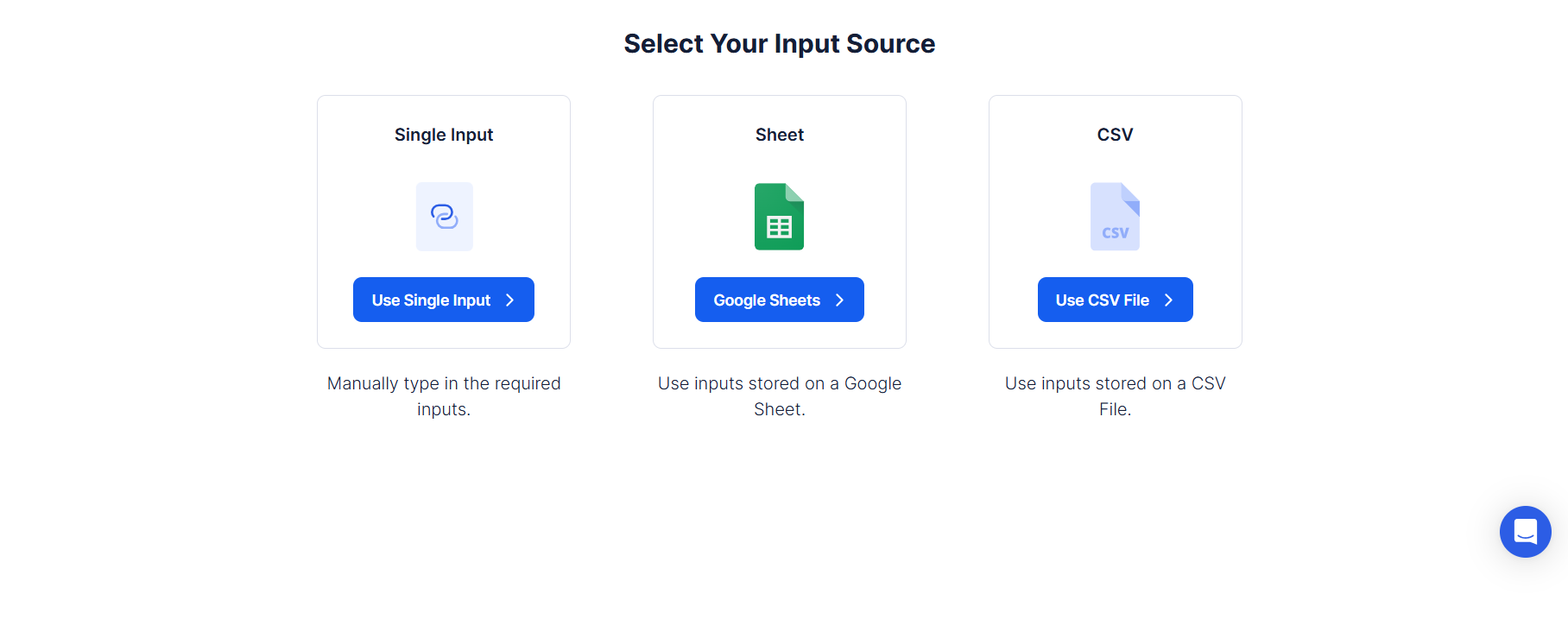
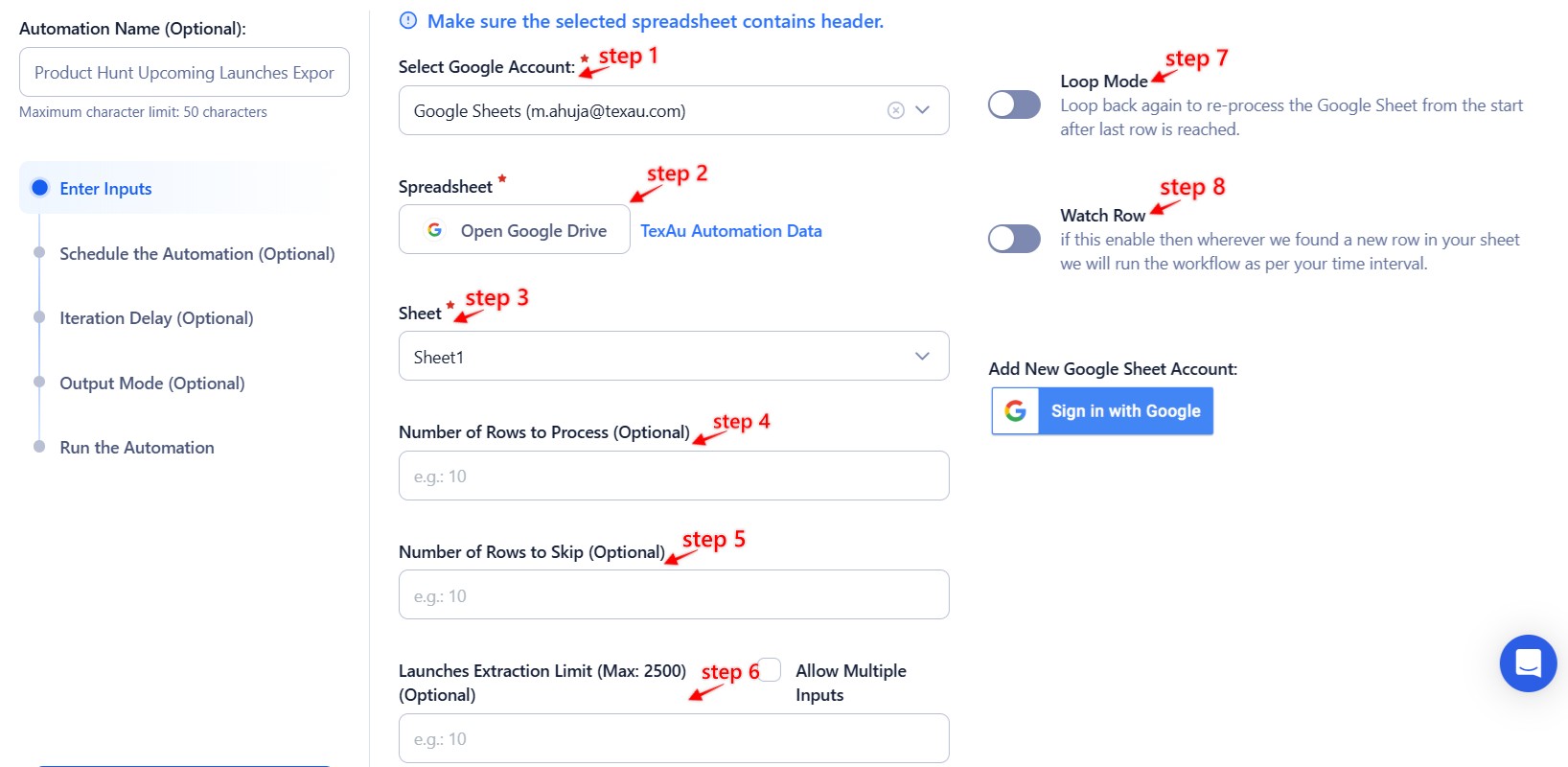
This automation does not require any single input, Google Sheet, or CSV. It scrapes the Product Hunt Upcoming Launches page directly and fetches all scheduled products and maker profiles listed there. You don’t need to configure any additional input source.
Tip: If needed, you can filter results by keywords or tags after export using Google Sheets.
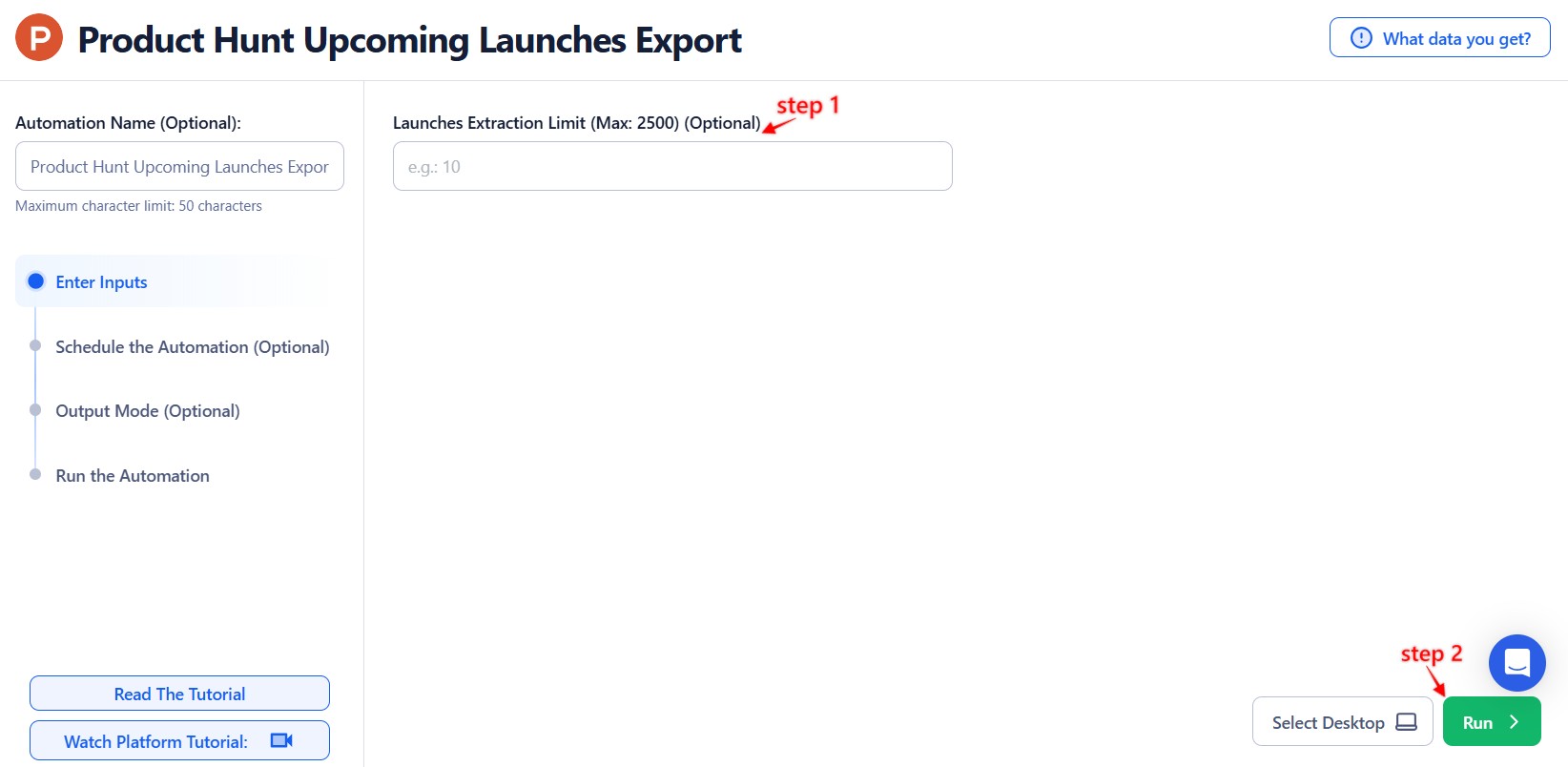
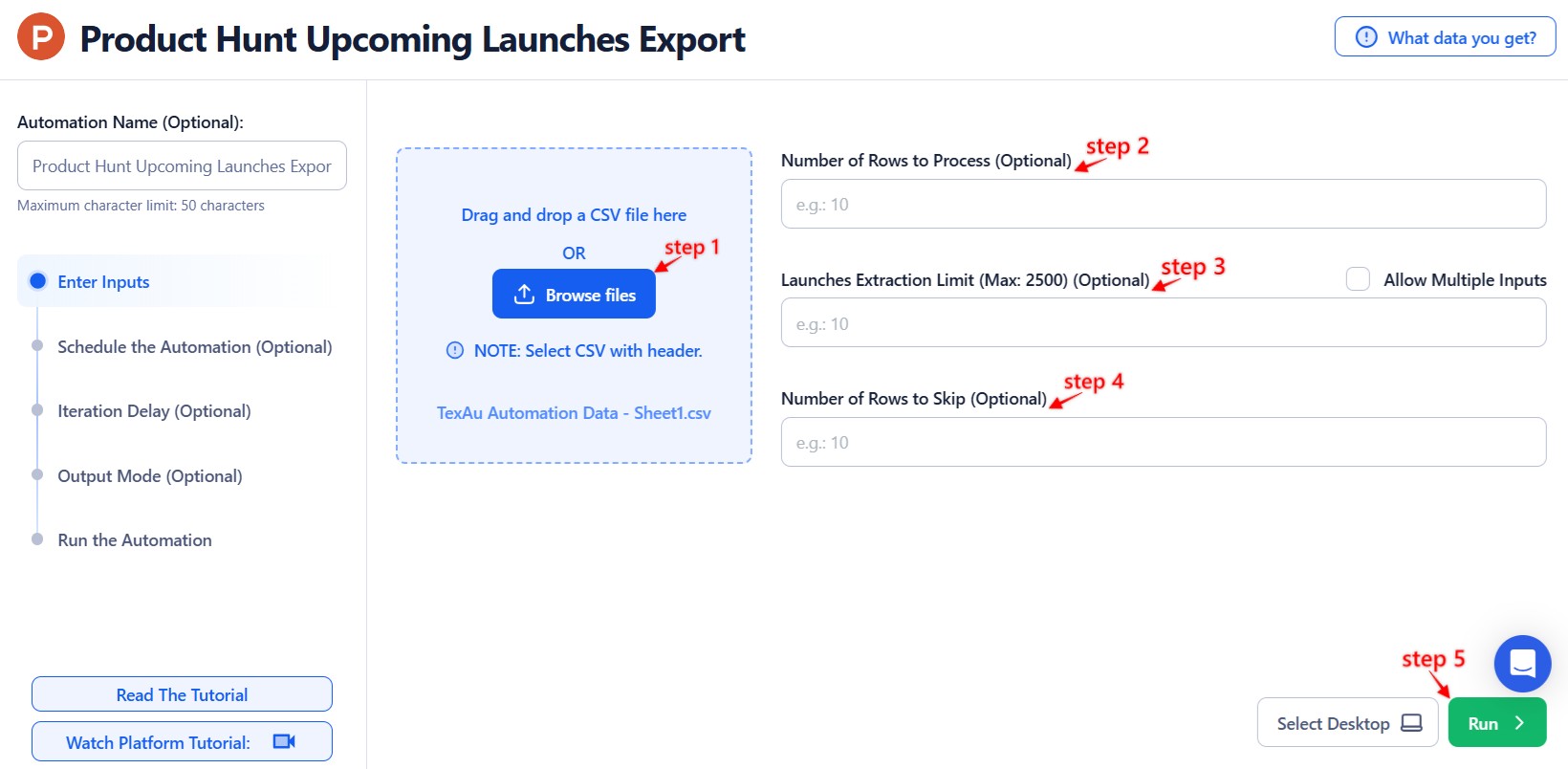
Step 3: Run the automation on TexAu Desktop
- Open the automation setup and select Desktop Mode.
- Click Choose a Desktop to Run this Automation.
- From the platform, select your connected desktop (status will show as "Connected").
- Click “Use This” after selecting the desktop to run the automation on your local system.
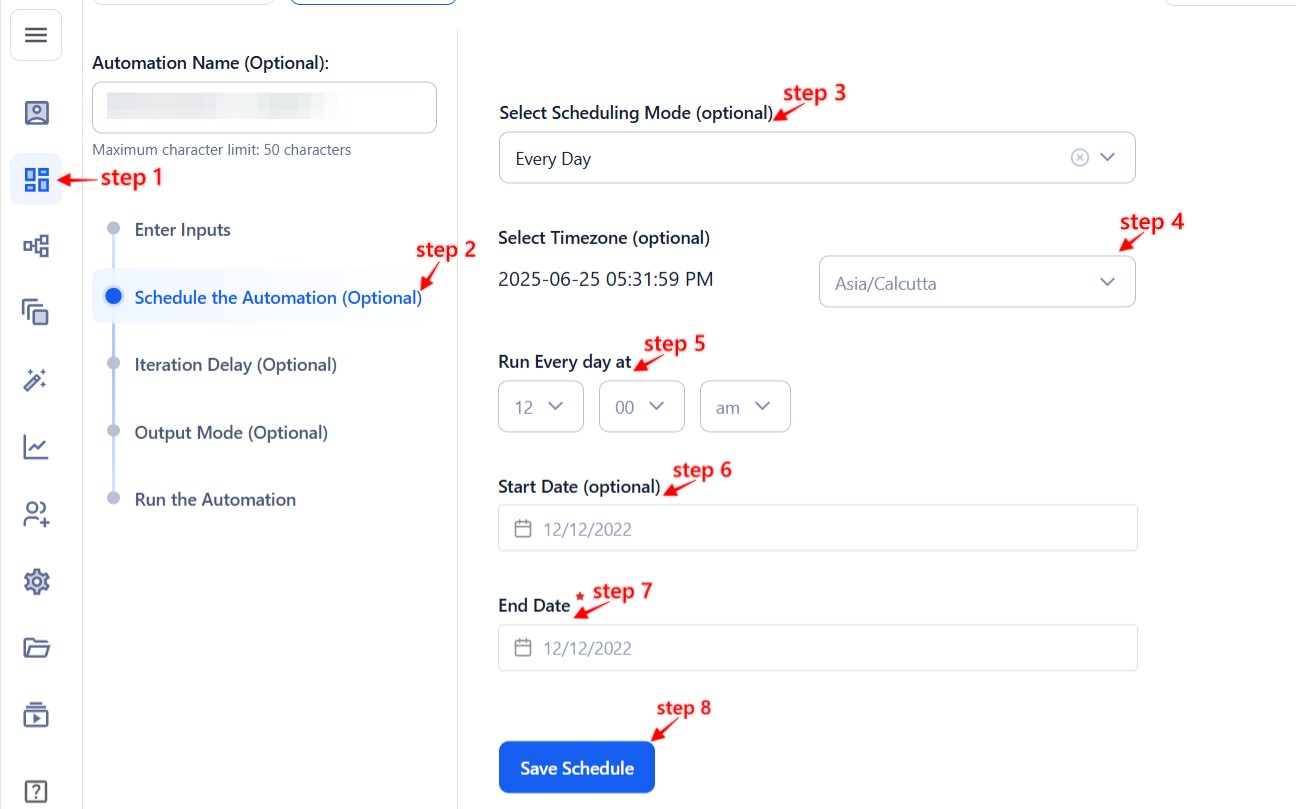
Step 4: Schedule the Automation (Optional)
TexAu helps you stay consistent by letting you schedule automations to run at your preferred time or frequency.
Click Schedule and choose one of the following options:
- None
- At Regular Intervals (e.g., every 12 hours)
- Once
- Every Day
- On Specific Days of the Week (e.g., Monday, Wednesday)
- On Specific Days of the Month (e.g., the 5th and 25th)
- On Specific Dates (e.g., January 15)
Tip: Use scheduling to auto-monitor new product announcements and keep your data fresh without manual work.
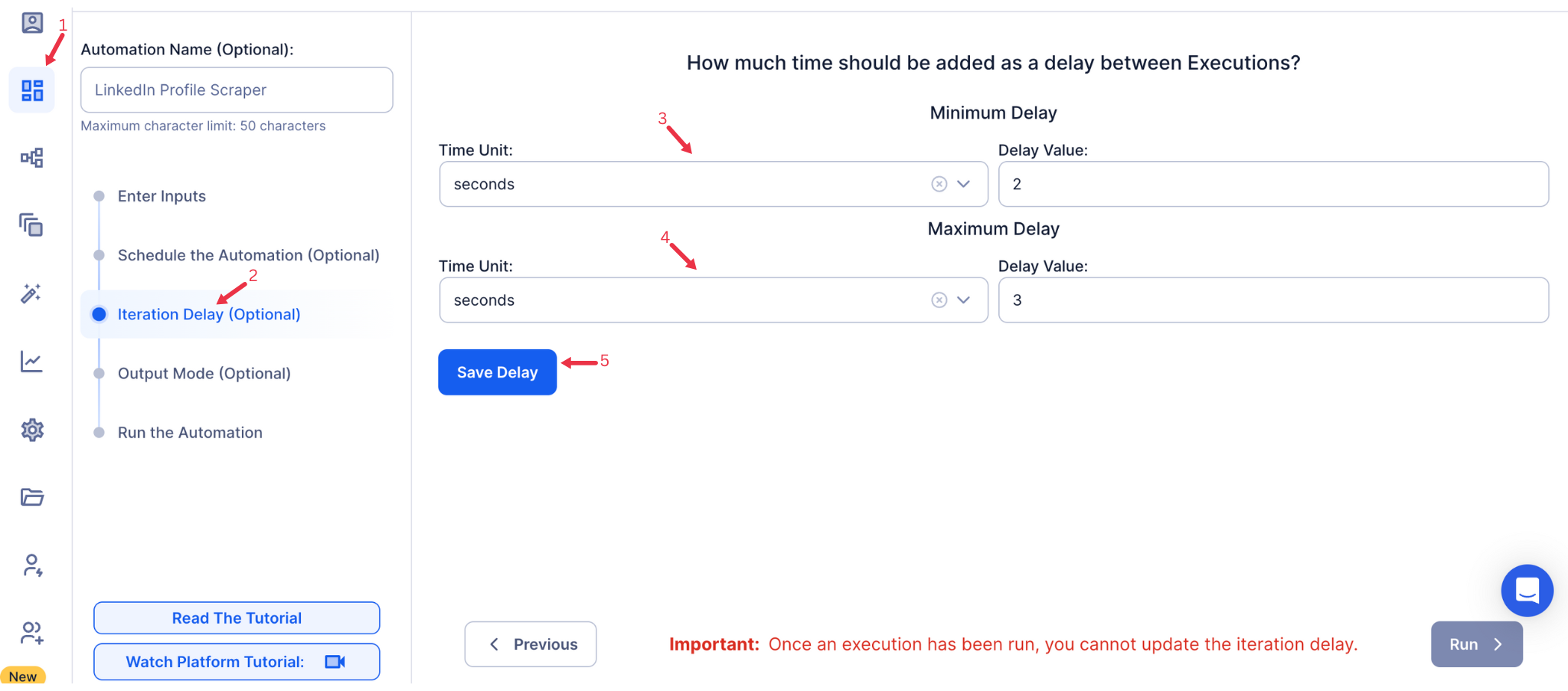
Step 5: Set an Iteration Delay (Optional)
TexAu helps mimic natural usage behavior and reduce the risk of getting blocked by setting delays between each action.
To simulate a natural pace and prevent rate-limiting, set Minimum Delay and Maximum Delay values. You can choose seconds, minutes, or hours as delay units. This feature is applicable only when using Google Sheets or CSV as input sources.
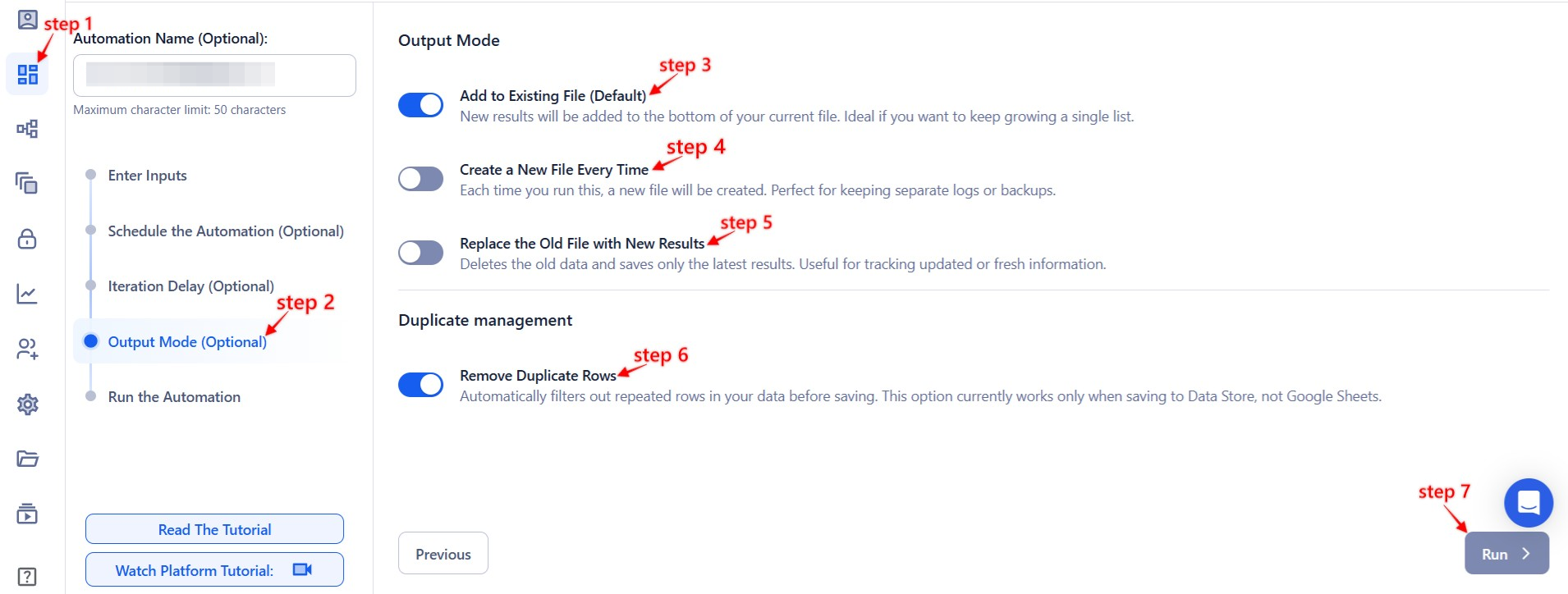
Step 6: Choose Your Output Mode (Optional)
TexAu makes it easy to manage your output by offering flexible export settings for convenience and clarity.
- Export Options: Choose to export data directly to Google Sheets or a CSV file.
- Output Management:
- Append (Default): Add new launch data to the same file.
- Split: Create a new file for every automation run.
- Overwrite: Replace old data with new results.
- Duplicate Management: Enable Deduplicate to prevent repeating launch entries in your exports.
Tip: Google Sheets is best for team access and filtering new vs. existing upcoming launches.
Step 7: Access the Data from the Data Store
TexAu organizes all your automation results in one place so you can review, download, and act on data without confusion.
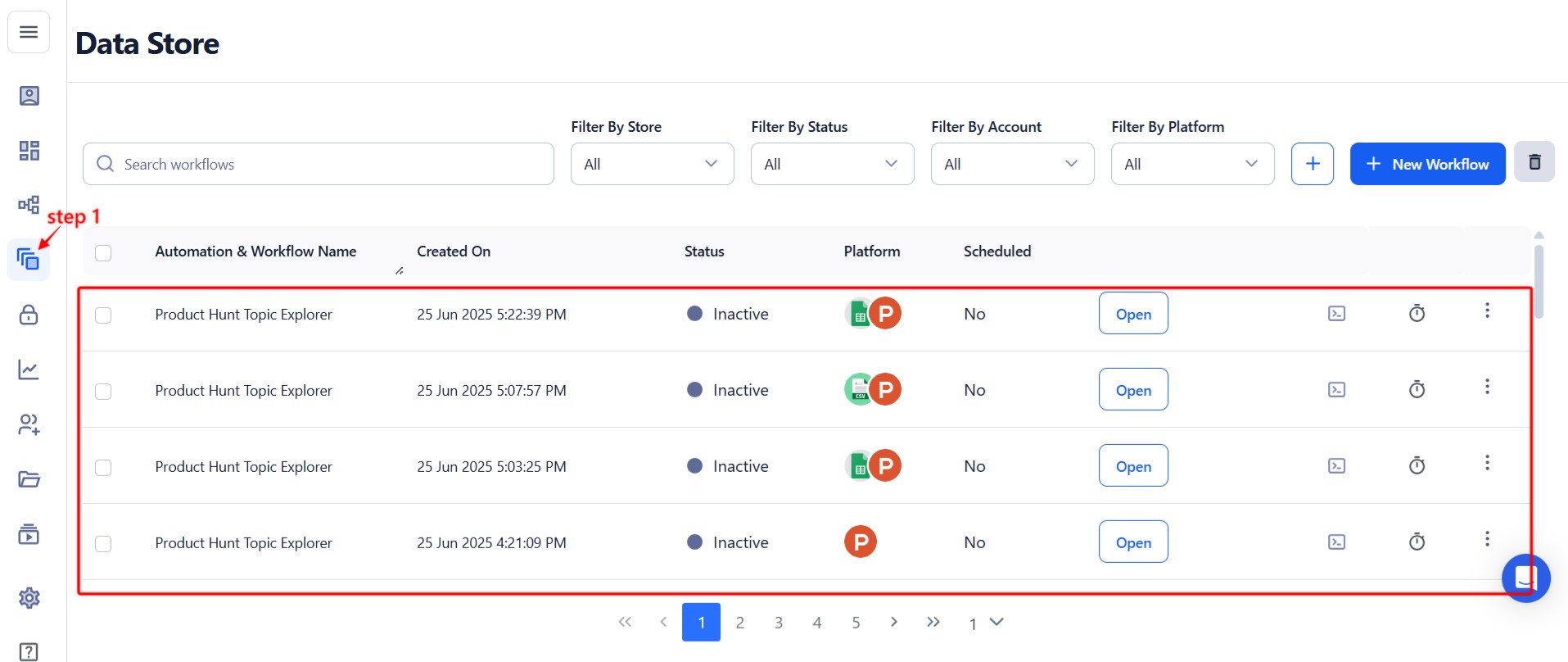
Once the automation completes, go to the Data Store in TexAu. Locate the Product Hunt Upcoming Launches Export automation and click See Data to view or download the results.
Screenshot Suggestion: Show the Data Store screen with the "See Data" button highlighted.
The Product Hunt Upcoming Launches Export automation helps you monitor upcoming product launches with zero manual effort. With support for your own machine execution, no input setup, and reliable data exports, this tool is perfect for tracking new trends, discovering early-stage startups, or planning timely outreach. Use it weekly or daily to stay ahead of the product curve.
Run this automation on your own machine.
TexAu V2 Desktop runs every automation locally — your real session, your real IP, unlimited hours, no proxies. One-time $1,999, no subscription, 5 years of updates.